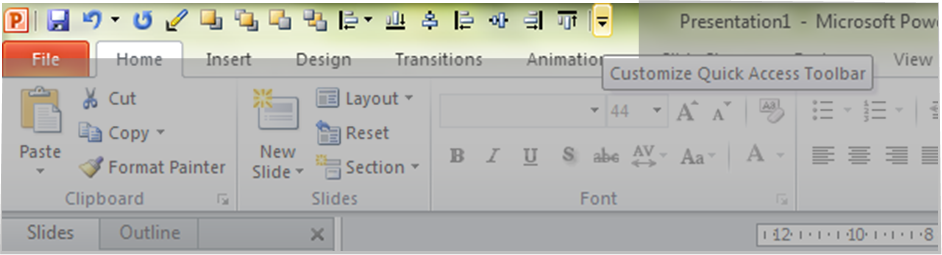
This is one of my favourite things about the newer versions of PowerPoint (2007, 2010). You can put all the things you use often up here to have access to them whenever you want. It’s a huge timesaver.
See that little down arrow up there in the top left-hand corner next to the little P (PowerPoint) symbol? Click on it, then go to the second last item on the drop-down menu called “More commands…” and it will open up a huge menu of items you can put up in that custom quick access toolbar. Don’t go crazy, because the number of items you can have up there isn’t limitless. Plus, the whole idea is to save that special spot for the things you use A LOT but are a bit of a pain to get to quickly.
I use it for the alignment tools (go to back/front, and align left/right/centre, etc.). I use these a lot because my preferred presentation style frequently uses images and builds. In older versions of PowerPoint, they were easier to get to, but in the newer versions they’re kinda buried.
Saving time is a good thing (as Martha would say). Do yourself a favour and try it out.
 Practical Presentation Tips